
Psiphon Pro
Screenshots
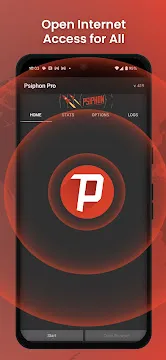

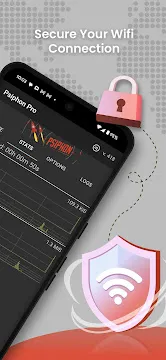
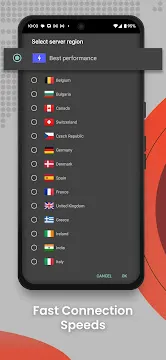

Psiphon Pro for Android gives you open access to the internet. This app removes local blocks and restrictions. It works on your Android phone or tablet. You simply turn it on, and it finds the best connection. The app uses advanced tunneling technology. As a result, you can visit any website or use any service freely. Psiphon Pro does not require a rooted device. Anyone can install it from a trusted source. The interface is clean and simple. You tap a button, and the connection starts immediately.
Many people face internet censorship today. Some websites or apps become unavailable in certain regions. Psiphon Pro solves that problem directly. It creates a secure, private path for your data. This path bypasses firewalls and filters. Furthermore, the app selects the fastest route automatically. You do not need technical skills to use it. The app runs in the background without slowing your phone. It also protects your online activity from prying eyes. Public Wi-Fi networks become safer with Psiphon Pro active.
How To Download And Install Psiphon Pro APK For Android
Psiphon Pro is a powerful circumvention tool that helps you access the open internet. Whether you face censorship or want to protect your privacy on public Wi-Fi, this app provides a reliable solution. This guide explains how to download and install the Psiphon Pro APK on your Android device safely and quickly.
Why Choose the APK Version?
The Play Store version works well. However, some users want direct control. The APK file allows offline installation. You can also access older versions if needed. Furthermore, the APK method works on devices without Google services.
Prerequisites for Installation
Before you begin the installation, you must prepare your Android device. Since you are installing an APK file directly, you need to enable specific permissions.
- Open the Settings menu on your phone.
- Navigate to Security or Privacy.
- Find the option labeled Unknown Sources or Install Unknown Apps.
- Toggle the switch to On.
This step allows your phone to install software from sources outside the official app store.
How to Download Psiphon Pro APK
To get started, you need the official APK file. Follow these steps to ensure a smooth download:
- Open your preferred mobile web browser.
- Visit Filetomob.com
- Search for “Psiphon Pro APK Download“.
- Navigate to the app page.
- Tap the Download Psiphon Pro APK button and wait for the file to save to your device.
- Monitor the progress in your notification bar.
Step-by-Step Installation Guide
Once the download finishes, you can install the app. Follow these clear instructions:
- Locate the File: Open your File Manager app and go to the Downloads folder.
- Start Installation: Tap on the file named PsiphonPro.apk.
- Confirm Permissions: A prompt will appear asking for your confirmation. Tap Install.
- Wait for Completion: The system will take a few seconds to process the files.
- Open the App: Click Open once the “App Installed” message appears on your screen.
Getting Started With Psiphon Pro For Android After Installation
Psiphon Pro serves as a powerful tool for accessing the open internet. Once you finish the installation on your Android device, you need to configure it correctly to ensure a stable connection. This guide walks you through the initial steps to get the most out of the application.
Initial Launch and Permissions
Open the app from your home screen or app drawer. Upon the first launch, the system will ask for several permissions. Psiphon Pro requires these to create a VPN tunnel.
- Grant Usage Access: Allow the app to monitor data usage if prompted.
- Trust the Connection: A system dialog will appear asking to set up a VPN connection. Select OK or Allow.
- Battery Optimization: For a continuous connection, exclude Psiphon Pro from battery saving mode.
Understanding the Main Dashboard
The interface is designed for simplicity. You will see several tabs at the top, but the Home and Options tabs are the most important for new users.
- The Start Button: This is the large icon at the bottom. Tapping this initiates the connection process.
- Connection Status: The “P” icon will glow or change color once the tunnel is active.
- Data Stats: The home screen displays real-time logs of your upload and download speeds.
Configuring Your Connection Settings
Before you hit start, you should verify your settings to match your current needs. Navigate to the Options tab to see your choices.
Select Your Region
By default, the app selects the “Best Performance” region. This automatically connects you to the fastest available server. However, you can manually choose a specific country if you need to bypass regional restrictions for a particular service.
Tunnel Whole Device
Most users prefer the Tunnel Whole Device option. This ensures that every app on your phone, from browsers to social media, uses the secure Psiphon network. If you disable this, only the built-in Psiphon browser will use the connection.
Starting the Connection
Return to the Home tab and tap Start. The app typically begins a 10-second countdown. During this time, Psiphon Pro searches for the most effective protocols to bypass network blocks.
While the app connects, you can check the Logs tab. This area shows technical details about the connection progress. Look for a message that says “Tunnel Connected.” Once you see this, your IP address is hidden, and your traffic is encrypted.
Tips for Better Performance
Psiphon Pro offers a “Pro” experience, which means speed can vary based on your subscription or rewards. To maintain a fast experience, follow these practices:
- Check the Speed Limit: Ensure you have not reached a data cap that throttles your speed.
- Update Regularly: Developers frequently release patches to improve connection stability against new network filters.
- Switch Regions: If the internet feels sluggish, stop the service and select a different country in the options menu.
- Monitor Logs: If the connection fails, the logs provide clues about whether the issue is your local Wi-Fi or a blocked protocol.
Exiting the App
When you finish your session, always return to the app and tap Stop. This restores your standard network settings and saves battery life. Closing the app from the “Recent Apps” menu without stopping the service may sometimes leave the VPN active in the background.
By following these steps, you secure your mobile browsing and regain access to the global web with ease.
Psiphon Pro for Android: Key Features
Psiphon Pro stands as a powerful tool for Android users who value digital freedom. It functions as a robust circumvention tool designed to bypass internet censorship. Unlike standard VPN services, this app specifically targets restrictive firewalls to keep you connected.
Below, we explore the essential features that make Psiphon Pro a top choice for Android mobile devices.
Global Network Coverage
Connectivity is the backbone of any reliable proxy tool. Psiphon Pro maintains a massive infrastructure to ensure you stay online regardless of your location.
- Massive Server Count: You gain access to thousands of high-performance servers.
- Wide Geographic Reach: The network spans over 200 countries.
- Dynamic Entry Points: The app constantly updates its entry points. This strategy helps the software stay one step ahead of network blocks.
Because the network is so diverse, you can easily find a fast connection. If one region faces congestion, you can switch to another with a single tap. This global footprint ensures that regional restrictions do not limit your mobile browsing experience.
Smart Split Tunneling
One of the most practical features for Android users is the “Apps” feature, commonly known as split tunneling. This tool gives you surgical control over your data.
In many cases, you do not want your entire phone to run through a proxy. For example, your local banking app might flag your account if it sees a login from a foreign country. Psiphon Pro solves this problem.
- Selective Access: You choose which specific apps use the Psiphon tunnel.
- Preserve Local Speed: Keep your gaming or streaming apps on your regular connection for the best ping.
- Bypass Censorship: Route your web browser or news apps through the VPN to read restricted content.
By using split tunneling, you balance security and convenience. You can read international news in one window while checking your local bank balance in another.
No Registration Required
Privacy starts the moment you download the app. Many services force you to create an account before you can use them. Psiphon Pro takes a different approach to protect your identity.
- Instant Connection: You do not need to provide an email address.
- No Passwords: There are no login credentials to remember or lose.
- Zero Commitment: You can download the app and hit “Start” immediately.
This lack of registration means there is no paper trail linking your personal identity to the app’s usage. It streamlines the process for users who need urgent access to the open web.
Advanced Protocol Selection
The Android version of Psiphon Pro is highly optimized for mobile hardware. It utilizes several transport protocols to penetrate even the toughest firewalls.
Available Modes
- VPN Mode: This tunnels your entire device traffic using standard protocols.
- SSH (Secure Shell): This provides a secure, encrypted tunnel that is difficult for filters to detect.
- SSH+: This is an enhanced version of SSH. It adds an extra layer of obfuscation to hide the fact that you are using a proxy.
Automatic Optimization
The app does not just give you choices; it thinks for you. Psiphon Pro automatically selects the best protocol based on your current network conditions. If a specific “handshake” fails, the app tries a different method instantly. This persistence makes it much more effective than a standard VPN on restricted public Wi-Fi or censored mobile data networks.
Real-Time Usage Statistics
Monitoring your data is crucial, especially if you are on a limited mobile plan. Psiphon Pro includes a dedicated Stats tab that provides a transparent view of your connection’s performance.
- Traffic Tracking: View exactly how much data you have uploaded and downloaded during a single session.
- Connection Duration: The app tracks how long you have been connected to the secure tunnel.
- Performance Graphs: Visual representations show you spikes in data speed, helping you identify the most stable times of day for browsing.
This feature ensures there are no surprises on your monthly mobile bill. You can audit your usage directly within the app without needing external monitors.
Integrated Proxy Settings
Standard VPNs often struggle with apps that require specific proxy configurations. Psiphon Pro offers advanced upstream proxy support specifically for the Android environment.
- HTTP and SOCKS Support: You can configure the app to work through an existing local proxy.
- Custom Headers: Technical users can add custom HTTP headers to further disguise their traffic.
- Network Versatility: This allows the app to function even in highly corporate or institutional environments where standard internet access is restricted by internal gateways.
By allowing these manual configurations, Psiphon Pro serves as a bridge for users who need to navigate complex networking rules on their mobile devices.
Always-On Protection
Mobile devices are prone to frequent connection drops as you move between different towers or Wi-Fi networks. Psiphon Pro utilizes Android’s native “Always-on VPN” capability to maintain a constant shield.
- Automatic Reconnection: If your signal fails, the app immediately attempts to re-establish the tunnel the second you are back online.
- Persistent Notification: A steady icon in your status bar gives you instant confirmation that your data is encrypted.
- Boot Startup: You can set the app to launch automatically when you restart your phone, ensuring you never browse the open web unprotected.
Open Source Transparency
Security is about trust. Psiphon Pro is an open-source project, which means its code is available for public review.
- Security Audits: Independent researchers regularly inspect the app for vulnerabilities.
- Community Driven: Constant updates from a global community of developers ensure that the app adapts to new blocking techniques almost as soon as they appear.
- No Hidden Logs: Because the code is open, users can verify that the app does not secretly track their browsing history or personal data.
These features collectively turn a standard Android phone into a powerful gateway for the open internet. Whether you are a casual browser or a tech-focused professional, these tools provide the control and transparency you need.
Why It Works for Android
Android devices are mobile by nature. You move between home Wi-Fi, mobile data, and public hotspots. Psiphon Pro is built to handle these transitions seamlessly. It monitors your connection status and re-establishes the tunnel the moment your signal returns.
The interface is clean and straightforward. You see a clear “P” icon in your notification bar when the service is active. This visual cue ensures you always know when your data is protected. By combining global reach with technical flexibility, Psiphon Pro remains a vital asset for Android users worldwide.
Psiphon Pro Optimization: How to Get Maximum Speed
Psiphon Pro is a powerful tool for bypassing censorship, but many users struggle with slow connection speeds. Optimizing the app ensures you get the most out of your mobile data or Wi-Fi. Follow this guide to unlock the full potential of your Android device.
Understanding the 2 Mbps Cap
When you first install Psiphon Pro, you likely use the free version. This tier includes a strict speed limit. Specifically, the app throttles your connection to 2 Mbps.
While 2 Mbps allows for basic web browsing and sending text messages, it creates bottlenecks for high-definition video or large file downloads. This cap exists to manage server load for millions of global users. To move beyond this limit, you must explore the app’s internal economy or subscription models.
PsiCash Explained
Psiphon Pro features a unique rewards system called PsiCash. This virtual currency allows you to “buy” speed upgrades without spending real money.
How to Earn PsiCash
You can accumulate PsiCash through several simple actions within the app:
- Watching Sponsored Videos: View short advertisements to earn small amounts of currency.
- Daily Check-ins: Open the app daily to claim a loyalty bonus.
- Promotional Tasks: Complete specific offers from partners to boost your balance.
Using PsiCash for Speed Boosts
Once you have enough coins, navigate to the “Shop” tab. You can exchange your balance for temporary speed boosts. These boosts lift the 2 Mbps cap for a set duration, such as one hour or one day. This is the best method for users who only need high speeds occasionally.
Breaking Down Subscription Tiers
For users who require consistent performance, Psiphon offers paid passes. These tiers remove the guesswork of earning coins and provide steady access to better hardware.
High-Speed Pass
The High-Speed tier significantly improves your browsing experience. It usually offers speeds much higher than the free version, often ranging between 5 Mbps and 10 Mbps depending on your local network. This level is perfect for social media scrolling and standard video streaming.
Maximum Speed Pass
The Maximum Speed tier is the premium choice. It removes all artificial software limits. Your speed will only be restricted by your physical mobile signal or your ISP’s bandwidth. If you want to stream 4K content or play online games with low latency, this is the necessary tier.
Essential Settings Tweaks
Hardware and subscriptions are only half of the equation. You must also configure the app to play nice with your specific internet service provider (ISP).
Configuring Proxy Settings
Many ISPs use deep packet inspection to block VPN traffic. You can bypass this by adjusting the Proxy Settings in the Options menu.
- Open Psiphon Pro and tap on Options.
- Select More Options.
- Check the box for Connect through an HTTP Proxy.
- Choose Use system network settings for a standard setup.
- If your network is highly restrictive, select Custom HTTP headers.
Using Custom Headers
Custom headers help disguise your VPN traffic as normal web traffic. Many users add headers like X-Online-Host followed by a website that your ISP allows for free (such as a carrier’s self-service portal). This trick often bypasses local throttling and improves initial connection times.
Improving Connection Stability
To maintain your maximum speed, you should also consider your server location. By default, Psiphon uses the “Best Performance” setting. This automatically selects the server with the lowest ping.
However, if you notice frequent disconnects, manually select a country physically close to your actual location. Shorter distances for data packets usually result in a more stable and responsive experience. Furthermore, always exclude Psiphon from your phone’s battery optimization settings. This prevents Android from killing the app in the background, which would instantly drop your speed to zero.
Why You Need Psiphon Pro on Your Android Phone
Psiphon Pro for Android is a powerful tool for internet freedom. It helps you bypass digital barriers. Many people use it to stay connected in restricted areas. It works as a VPN and a proxy. This app provides a secure tunnel for your data. It hides your IP address from trackers. You can use it for many different reasons. This guide explores the best ways to use Psiphon Pro.
Access Social Media Anywhere
Many regions block popular social apps. Governments sometimes restrict access during specific events. Psiphon Pro helps you stay social.
- Facebook and Instagram: You can view posts and share updates. The app bypasses local filters that stop these platforms from loading.
- X (Twitter): Stay updated with real-time news. You can tweet and follow trends even if your country blocks the service.
- Messaging Apps: Keep in touch with family and friends. Psiphon Pro helps you use apps that rely on open internet access.
This app uses special protocols to disguise your traffic. It makes your social media use look like regular web browsing. This prevents local filters from detecting and blocking your activity.
Boost Education and Research
Students often need global information. Some schools or countries block international research sites. Psiphon Pro opens these digital doors.
- Global Libraries: Access digital archives and academic papers. You can reach sites that are only available in certain regions.
- International News: Read stories from the BBC or VOA. These outlets provide diverse perspectives on world events.
- Open Learning: Watch educational videos and join online courses. You can use platforms that might be throttled or blocked on your local network.
Reliable information is vital for learning. Psiphon Pro ensures you have the tools you need for your studies. It protects your curiosity from censorship.
Stay Safe on Public Wi-Fi
Public Wi-Fi is convenient but risky. Hackers often wait for victims at airports and cafes. Psiphon Pro acts as a digital shield for your phone.
- Encryption: The app encrypts your data. This means hackers cannot read your private messages or passwords.
- Privacy: It masks your location. Websites cannot track your physical address while you browse.
- Secure Hotspots: Use hotel or coffee shop internet with confidence. The VPN tunnel keeps your connection private.
Always turn on Psiphon Pro before you log into public networks. It keeps your identity safe from snooping eyes.
Improve Your Gaming Experience
Gamers often face regional restrictions. Some games only launch in specific countries first. Psiphon Pro helps you play without borders.
- Regional Servers: You can join servers in different countries. This is helpful for games like PUBG Mobile VN.
- Lower Ping: Sometimes, routing your traffic through a VPN server provides a more stable path. This can reduce lag during intense matches.
- Early Access: Play new updates before they arrive in your local store. You can switch your virtual location to match the update’s release region.
Psiphon Pro adapts to your network speed. It tries to find the fastest path for your gaming data. This ensures a smoother and more competitive experience.
Key Benefits of Psiphon Pro
- No Registration: You do not need to create an account to start.
- Automatic Selection: The app picks the best protocol for you.
- Open Source: Experts check the code to ensure it is safe.
- Usage Stats: You can track how much data you use inside the app.
Psiphon Pro gives you the freedom to explore the web. It is simple, effective, and reliable.
Psiphon Pro Pricing Structure
Psiphon Pro serves as a powerful tool for digital freedom. It helps users bypass censorship and access the open web. However, maintaining a global server network requires resources. To balance accessibility with performance, Psiphon uses a tiered pricing model. This guide explains how the free tier, subscriptions, and PsiCash work together.
The Free Tier: Access for Everyone
Psiphon Pro remains famous for its Free Tier. The developers believe that everyone deserves internet access. You do not need to create an account or provide a credit card to start.
- Unlimited Bandwidth: You can browse as much data as you want. There are no hard data caps to stop your connection.
- Ad-Supported Experience: The free version displays ads. These advertisements help fund the server costs for users worldwide.
- Speed Limitations: Free users usually experience a speed cap. While the connection is reliable, it may not be fast enough for high-definition streaming or large downloads.
This tier is perfect for basic web browsing, social media, and messaging. It ensures that even those with no budget can stay connected to the world.
The Subscription Model: Maximum Performance
If you need more power, Psiphon Pro offers paid subscriptions. These plans remove the technical barriers found in the free version. Most users choose between weekly, monthly, or yearly billing cycles. For example, a monthly plan often costs around $9.99, though prices vary by region.
Key Benefits of Subscribing
- Faster Speeds: Subscriptions remove the artificial speed caps. You get the fastest connection your local network can support.
- Ad-Removal: The app becomes clean and distraction-free. You will no longer see banners or video ads during your session.
- Priority Server Access: Subscribers connect to optimized servers. These servers often have lower latency and better stability during peak hours.
Subscribing is the best choice for power users. It provides a seamless experience for video calls, gaming, and heavy media consumption.
PsiCash: The Flexible Alternative
Not everyone wants a recurring monthly bill. For these users, Psiphon introduced PsiCash. This is a unique, in-app currency system designed for flexibility. You can think of it as a “pay-as-you-go” model for internet speed.
How PsiCash Works
You can earn or buy PsiCash directly within the Android app. Once you have a balance, you spend it on Speed Boosts. These boosts unlock maximum performance for a specific amount of time.
- No Long-Term Commitment: You only pay for the speed when you actually need it.
- Hourly Options: You can buy a few hours of high-speed access for a specific task.
- In-App Earning: Sometimes, users can earn small amounts of PsiCash by engaging with specific content or tasks.
PsiCash bridges the gap between the free tier and a full subscription. It gives you control over your spending while still offering a premium experience.
Choosing the Right Plan for You
Selecting the right model depends on your daily habits. If you only check email and read news, the Free Tier is likely sufficient. The ads are a small price to pay for a free, private connection.
If you use the app every day for work or entertainment, the Subscription is the smartest investment. It offers the most consistent and comfortable user experience. The yearly plan usually provides the best value for your money.
Finally, if you only need high speeds occasionally, stick with PsiCash. It allows you to save money while still having the option to “boost” your connection for a big download or a movie night.
Each of these options supports the Psiphon network. By choosing a paid path, you help keep the service active for millions of people living in restricted regions. This hybrid model ensures that the tool remains both sustainable and accessible to the global community.
Psiphon Pro: Privacy & Safety
Psiphon Pro is a popular choice for people who need to bypass internet censorship. It acts as a bridge to the open web when certain websites or apps are blocked. However, users often wonder about the true level of privacy it provides. This reality check explores the security features and the potential risks of using Psiphon Pro on an Android device.
The Good: Strong Privacy Fundamentals
Psiphon Pro performs well in specific privacy areas that many other free apps ignore. It focuses on keeping the app clean and protecting your data while it travels across the internet.
No Hidden Trackers
Many free applications make money by selling user data to advertisers. They often hide “trackers” in their code to follow your online behavior. Fortunately, Psiphon Pro stands out here. Independent privacy audit reports, such as those from Exodus Privacy, consistently show 0 trackers found in the app. This is a rare achievement for a free service. It means the app itself is not spying on your phone’s other activities to build an advertising profile.
Reliable Data Encryption
Security starts with how your data moves from your phone to the server. Psiphon Pro uses strong encryption to protect your information in transit. This prevents hackers on public Wi-Fi or local network administrators from seeing your actual traffic. The app uses specialized protocols to hide the fact that you are even using a VPN. This helps you stay connected in regions where standard VPNs might be blocked.
The Caveats: Important Security Gaps
While Psiphon Pro is excellent for accessing blocked content, it is not a “bulletproof” privacy tool. It has some limitations that you should understand before using it for sensitive tasks.
Connection Logging
Most premium VPN services follow a strict “no-log” policy. Psiphon Pro does not follow this rule. The service logs certain details about your connection. These logs include:
- The connection protocols you used.
- The length of your session.
- Time stamps of when you connected and disconnected.
While they do not track the specific websites you visit, they still keep a record of your app usage. If you need 100% anonymity from the service provider itself, this logging might be a concern.
Lack of a Kill Switch
The Android version of Psiphon Pro does not include a “kill switch.” This is a critical safety feature found in many top-tier VPNs. A kill switch automatically cuts your internet connection if the VPN drops unexpectedly. Without it, your phone might revert to its regular internet connection the moment the VPN fails. This could expose your real IP address to the website you are visiting or to your internet provider for a few seconds.
Simple Summary
Psiphon Pro is a fantastic tool for breaking through digital borders. It is clean, free of trackers, and uses solid encryption. However, it is not a high-end privacy suite. It logs your session times and lacks a fail-safe kill switch. You should use it for browsing and accessing information, but be cautious if your physical safety depends on absolute, uninterrupted anonymity.
Frequently Asked Questions About Psiphon Pro For Android
What is Psiphon Pro for Android?
Psiphon Pro is a tool for your Android phone. It helps you access websites freely. The app creates a secure connection to the internet. It also helps bypass local network blocks.
How does the app work?
The app routes your traffic through a different server. First, you open the app. Then, you press the start button. After that, Psiphon Pro finds the fastest available route. Finally, your connection becomes private and open.
Is Psiphon Pro free to use?
Yes, the core service remains free. You do not pay for basic access. However, you will see optional ads inside the app. You can remove these ads with a small in-app purchase.
Can I use it for specific apps only?
Yes, the Android version supports “split tunneling.” This feature allows you to choose which apps go through the VPN and which use your local connection. This is helpful if you want to access a blocked social media app while keeping your local banking app on a standard connection. To enable this, look for the “Excluded Apps” or “Tunnel Whole Device” options in the settings menu.
Does it protect my data on public Wi-Fi?
Psiphon Pro encrypts the traffic between your device and the server. This encryption protects your sensitive information from hackers on public Wi-Fi networks. It prevents others on the same network from seeing what you are doing online. Therefore, using the app in cafes or airports adds a necessary layer of security to your mobile experience.
Do I need to root my Android device?
No, you do not need root access. The app runs on standard Android devices. It works on phones and tablets without any modifications. Therefore, it is safe for everyday users.
What makes Psiphon Pro different from a VPN?
Psiphon Pro uses more than one technology. It combines VPN, SSH, and HTTP Proxy. The app automatically chooses the best protocol for your network. Consequently, it works in places where regular VPNs fail.
Can I use Psiphon Pro with mobile data?
Yes, the app works on both Wi-Fi and mobile data. You can switch networks without restarting the app. The connection will adjust automatically. Be aware that mobile data usage applies as normal.
What permissions does the app need?
The app needs a few key permissions. It requires VPN permission to tunnel your traffic. It also needs storage permission for log files. Furthermore, it may ask for location access to find the best server. You can review all permissions before accepting.
How do I know if Psiphon Pro is working?
Check the status bar on your phone. The app shows a key icon when active. You can also open the app interface. A green indicator means you are connected. Finally, try visiting a previously blocked website. If it loads, the app works correctly.
Can I choose a specific country server?
Yes, you can select a server location. Open the app settings. Look for “Server Selection.” Then, pick a country from the list. The app will reconnect through that region. This feature helps you access country-specific content.
Does Psiphon Pro log my activity?
The app collects minimal data for performance. It does not log your browsing history. It also does not record the sites you visit. The privacy policy explains these points clearly. For most users, this level of privacy is sufficient.
How do I update Psiphon Pro?
Updates come through your app store. Enable automatic updates for convenience. Otherwise, check the store weekly. New versions fix bugs and add features. Running the latest version ensures better reliability.
Does Psiphon Pro hide my IP address?
Yes, the app masks your real IP address. When you connect, the websites you visit only see the IP address of the Psiphon server. This process enhances your anonymity. However, remember that a VPN is not a complete invisibility cloak. Always practice safe browsing habits even when using a secure tunnel.